How to Auto-Post Daily Crypto Prices to Instagram & Telegram
A daily price post is the backbone of most crypto pages and channels. It is also the post nobody wants to make by hand at midnight. Here is how to post it every day from live market data, in your own design.
8 min read · For crypto pages, channels and communities
Why post the crypto price every day?
People follow a crypto page to know where the market is without opening an exchange. A price post at the same time every day becomes a habit for them: they check it, react to it, argue about it in the comments. For a Telegram channel it is often the most-read message of the day.
It is also the easiest post to get wrong. Prices move every second, so a post made by hand is either late or made from a screenshot of a number that is already old, and a typo in a price is the kind of mistake people remember.
Which crypto posts work best on autopilot?
Anything made from numbers that a service publishes reliably. The ones that work well every day:
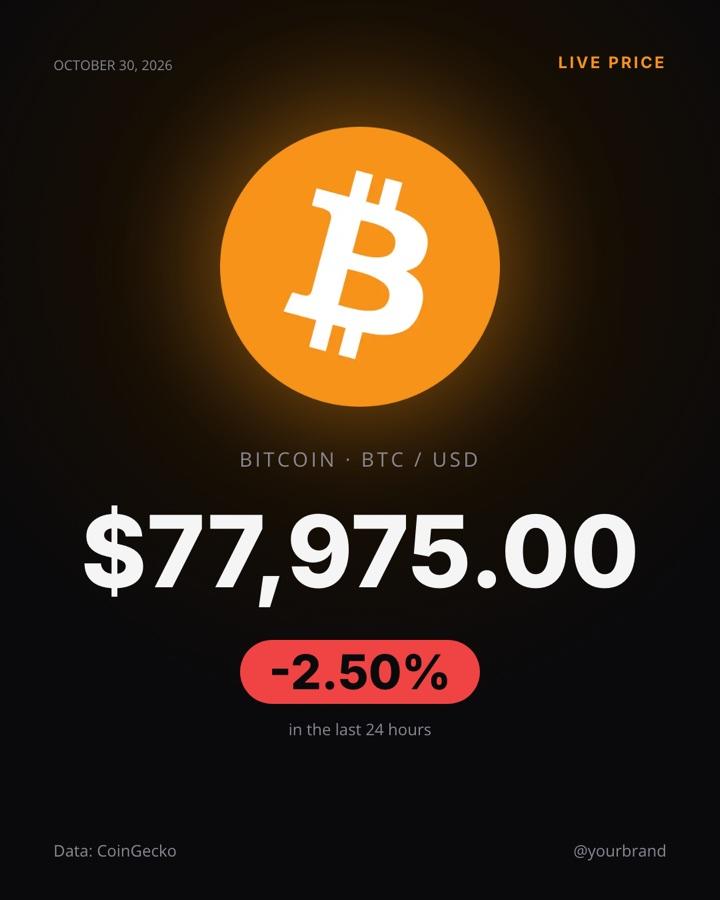
- The price and its 24-hour change. The simplest post, and the one people expect. One coin, one number, green or red.
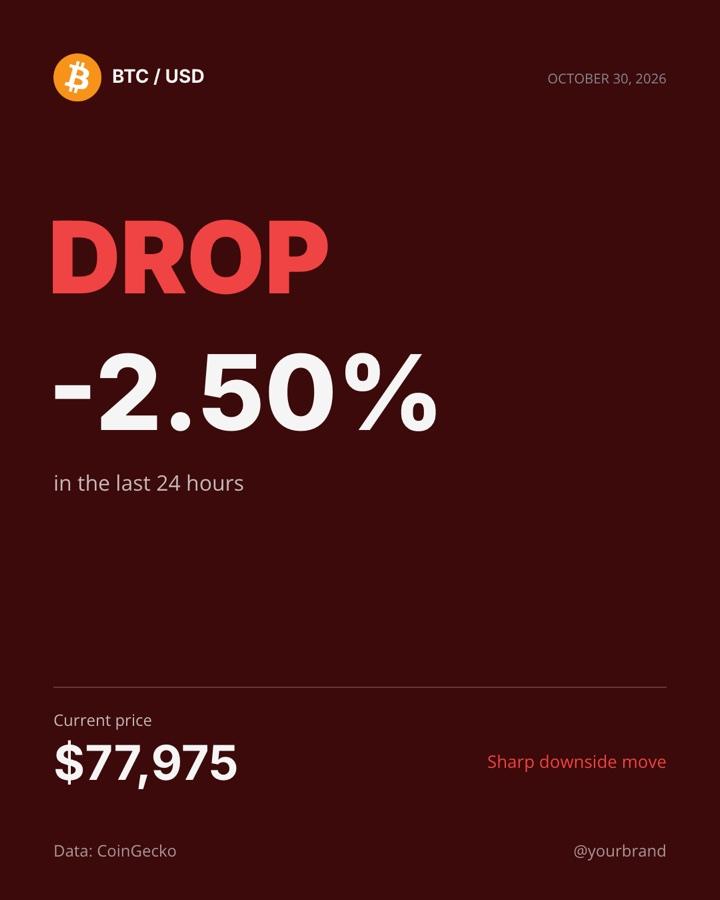
- The big move. A post only on the days the price jumps or drops sharply, for example by 5% or more in 24 hours. It keeps your page quiet on calm days and loud when something happens.
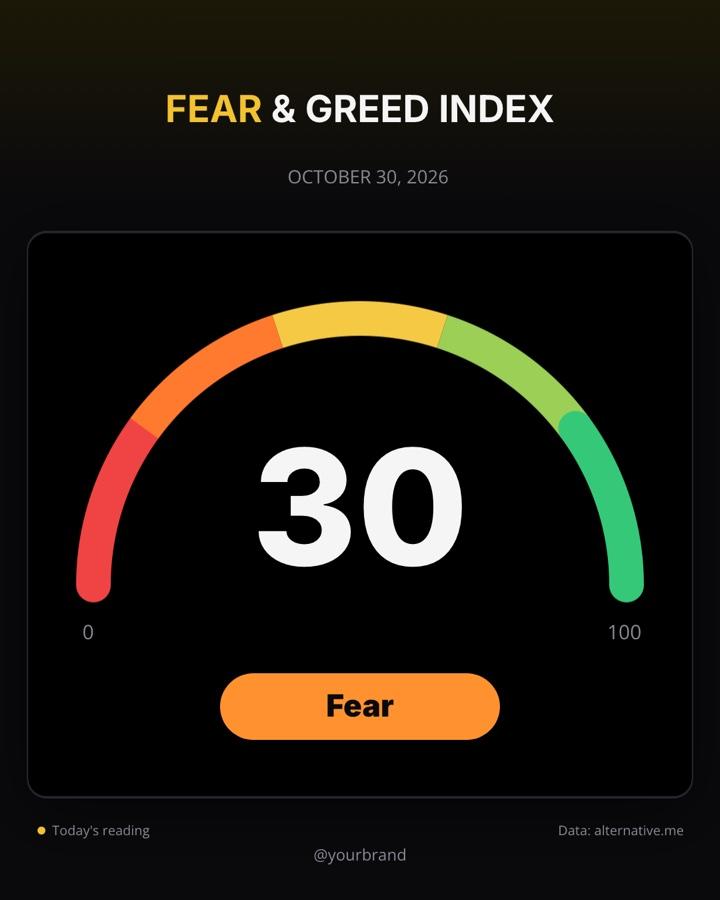
- The Fear & Greed Index. A single number from 0 to 100 that sums up the market’s mood. It is easy to read on a gauge and tends to start conversations.
- The market at a glance. Market cap, 24-hour volume, Bitcoin’s dominance and the day’s chart on one image.
- The chart. A daily candlestick chart for readers who want to see the trend, not only today’s number.
Where does the data come from?
You don’t need an exchange account or a paid data plan for a daily post. Public services publish the numbers:
- CoinGecko publishes prices, 24-hour changes, market caps and volumes for thousands of coins.
- alternative.me publishes the Crypto Fear & Greed Index every day.
- TradingView shows a coin’s chart, which can be captured as an image.
A Recurset agent reads them at the moment the post is made, so the number on the image is the number at that hour, not a copy from earlier. The image says where the data comes from and the date, which is what makes a price post trustworthy.
How do you set up an automatic price post?
- Pick the post. In Recurset the Bitcoin Price robot is ready: Bitcoin’s price against the dollar and its 24-hour change, posted every day at 00:15 UTC, just after the daily candle closes. Add your handle or website and it goes on every image.
- Make the design yours. The image is a template: change the colours, the fonts, the logo and the layout in the editor. The price and the change are filled in every day; the change turns red or green by itself.
- Choose your pages. Instagram and Facebook on any plan; Telegram and LinkedIn on Starter. Connect the accounts once.
- Choose how it goes out. Approve each post for the first days, then switch to AI Check, which looks at every post before it is published, or let it post on its own.
The caption is fixed text with the numbers filled in, so there is no AI to pay for and no surprise in the wording. A price post is the one place where you want exactly the same sentence every day.
Start with the priceBitcoin Price runs on the Free plan, with no AI to pay for.
See the robotHow do you post only when the price moves a lot?
Add a condition before the post is made. The Bitcoin 24H Move robot reads the same price data and posts only when the 24-hour change is at least 5% up or down, in green for a jump and in red for a drop. On the other days nothing goes out.
This works well next to a daily price post, or instead of it for a page that would rather post less and only when it matters. You can change the threshold: 3% for a lively page, 10% for one that should only react to the big days.
What else can a crypto page post every day?
Numbers alone get repetitive. Pages that grow usually mix them with something to read:
- The day’s top story. The Crypto Daily robot reads CoinDesk, Cointelegraph and Decrypt, has AI pick the day’s biggest story, and writes a headline and a short intro, with an AI image.
- A daily brief carousel. The Daily Crypto Brief puts the top coins’ table, why the market moved and the day’s top stories, each explained, into one six-slide carousel.

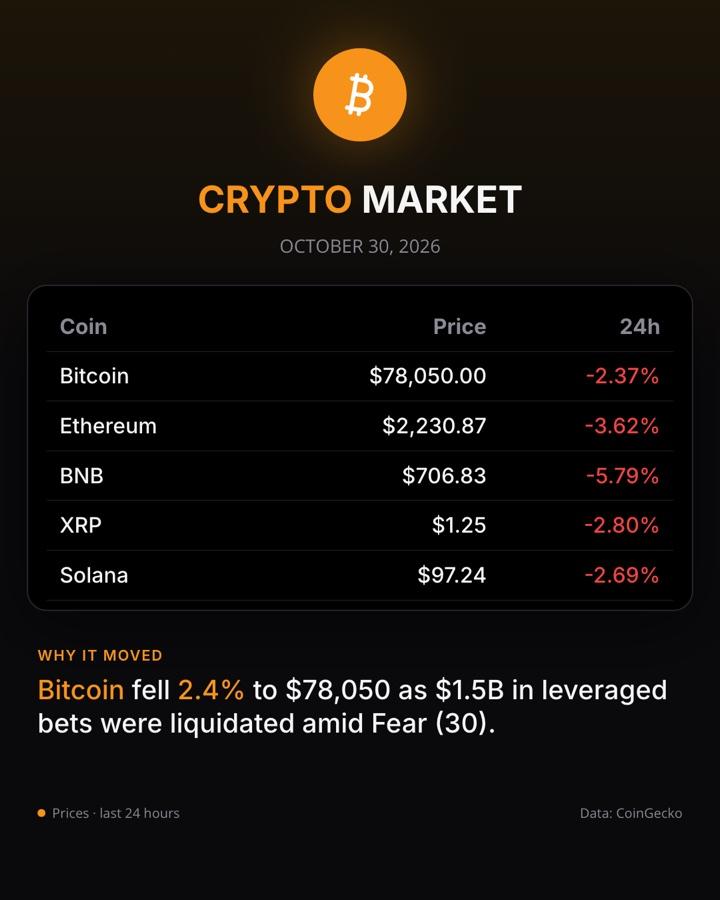
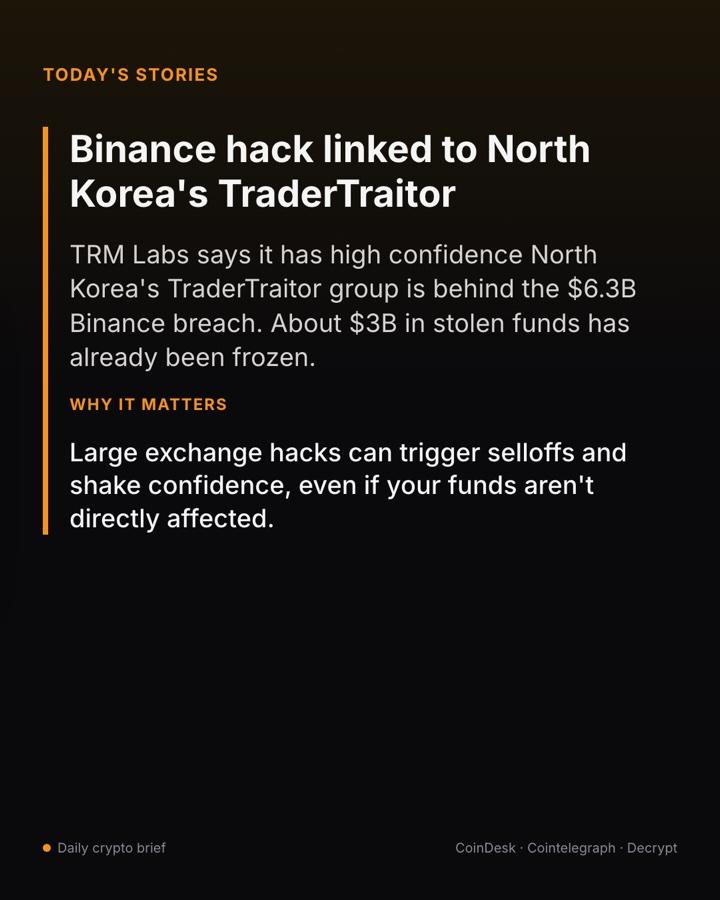
These two use AI to write, so they run on Starter. Their text is written from the articles of the day, and every slide credits the sources it comes from.
What are the other ways to automate crypto posts?
- Telegram bots built with Zapier, n8n or IFTTT. Sending the price to a Telegram channel as a text message is straightforward: a scheduled step, a price API, a message. It gets harder when you want an image, which is what makes a post stand out in a channel.
- Instagram needs an image. Instagram doesn’t publish text-only posts, and lets apps post only to professional accounts. A workflow tool has to call an image service, such as Bannerbear or Placid, fill a template and then publish it: doable, but it is three services to set up and keep running.
- Price bots and widgets. Ready-made bots post a coin’s price in Telegram groups, usually as plain text in their own format, without your brand.
- Scheduling tools. Buffer or Later schedule posts you make, but a price post has to be made at the moment it goes out, so scheduling it a day ahead doesn’t work.
If you are comfortable building and maintaining workflows, the first option is flexible and cheap. If you want a finished, branded image on every network at the same hour without building anything, that’s what a Recurset agent does.
What mistakes should you avoid?
- Posting a stale price. Always show the date, and make the post at the moment the data is read, not hours earlier.
- Hiding the source. Say where the numbers come from on the image. Most free data services ask for it, and readers trust a price more when they can check it.
- Sounding like advice. A price post reports a number; it doesn’t tell people to buy or sell. Keep the caption factual and add a short disclaimer in your bio if your page discusses trades.
- Posting at random hours. Pick a time and keep it. 00:15 UTC, just after the daily close, is a common choice because the 24-hour change then roughly matches the daily candle.
- Only posting numbers. Mix in a story or a weekly recap so your page has something to read, not only something to glance at.
Questions
Where do the prices come from?+
From CoinGecko’s public market data, read at the moment the post is made. The Fear & Greed Index comes from alternative.me. Each post credits its data source.
Can I post a coin other than Bitcoin?+
Yes. The robots start with Bitcoin; tell Copilot the coin or the list of coins you want and it sets up the agent with the same data.
Can it post to a Telegram channel?+
Yes, on the Starter plan, which adds Telegram and LinkedIn. Free covers Instagram and Facebook.
Does a price post use AI?+
No. Price posts are made straight from the data, with a fixed caption, so they use none of your AI allowance. AI is used only where something is written, like a daily story or a brief.
Can it post more than once a day?+
On Starter and Pro an agent can post several times a day, for example at the open of the Asian, European and US sessions. Free posts once a day.